Sample data
The barplot function needs a matrix or a table in order to create a grouped barplot, where each column represents a group (the bars along the X-axis) and each row represents a subgroup (the bars inside each group). In the following example we are creating a matrix with four groups and two subgroups.
m <- matrix(c(12, 8, 7, 11, 9, 6, 4, 10), nrow = 2,
            dimnames = list(c("G1", "G2"),
                            c("A", "B", "C", "D")))
m| A | B | C | D | |
|---|---|---|---|---|
| G1 | 12 | 7 | 9 | 4 |
| G2 | 8 | 11 | 6 | 10 |
Grouped barplot with beside = TRUE
By default, if you pass a matrix to barplot the function will create a stacked bar graph. In order to create a grouped barplot, also known as side by side bar chart or clustered bar chart, you will need to set beside = TRUE. If you prefer ggplot2 check the grouped bar chart in ggplot2.
barplot(m,
        beside = TRUE)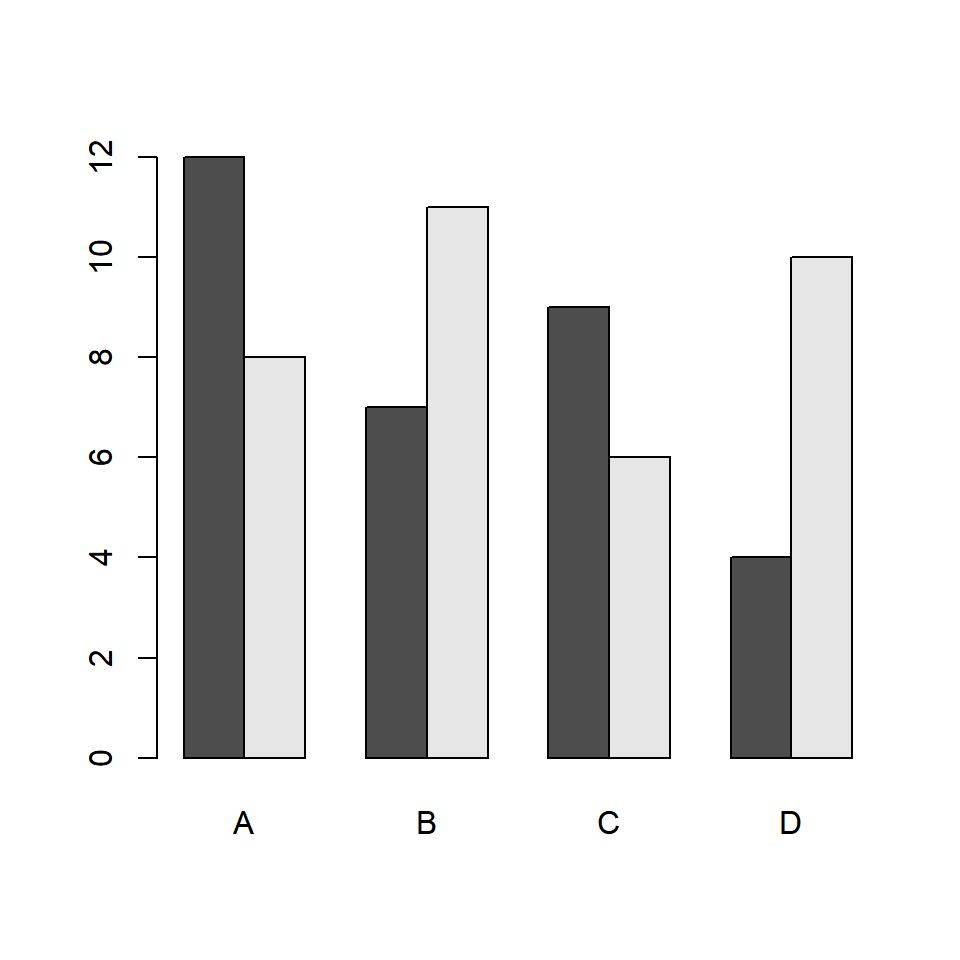
Grouped barplot from a data frame
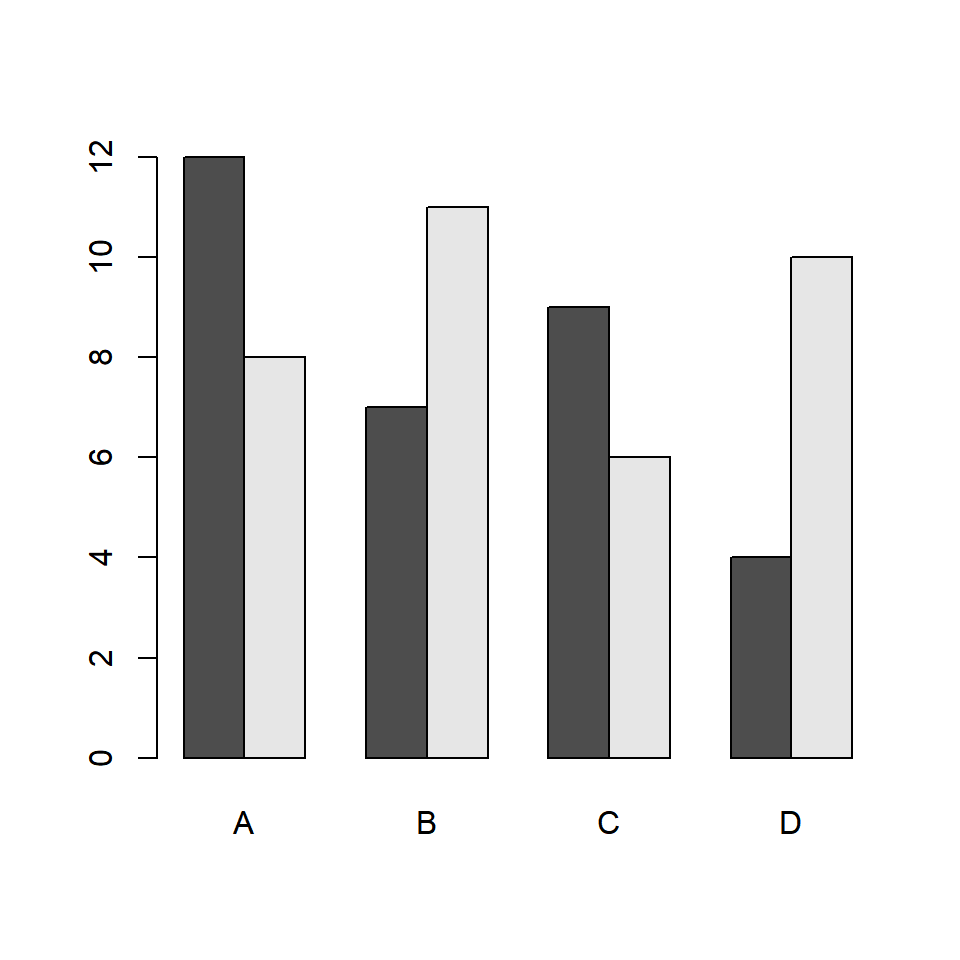
If your data is in a data frame with a column for the groups, other for the subgroups and other for the values you will need to transform it into a matrix first. The easiest way is using the xtabs function, passing a formula of the form value ~ subgroup + group.
df <- data.frame(x = rep(c("A", "B", "C", "D"), each = 2),
                 group = rep(c("G1", "G2"), times = 4),
                 y = c(12, 8, 7, 11, 9, 6, 4, 10))

tabl <- xtabs(y ~ group + x, data = df)

barplot(tabl, beside = TRUE)
Note that if you only have the categorical variables you can count the occurrences of each combination with table, as in table(df$group, df$x).
Space between the bars
The space argument controls the space between the bars. When beside = TRUE you can pass a vector of two values, where the first value is the space between the bars of the same group and the second the space between groups, as a fraction of the width of the bars. The default value is c(0, 1).
barplot(m, beside = TRUE,
        space = c(0.2, 1.5))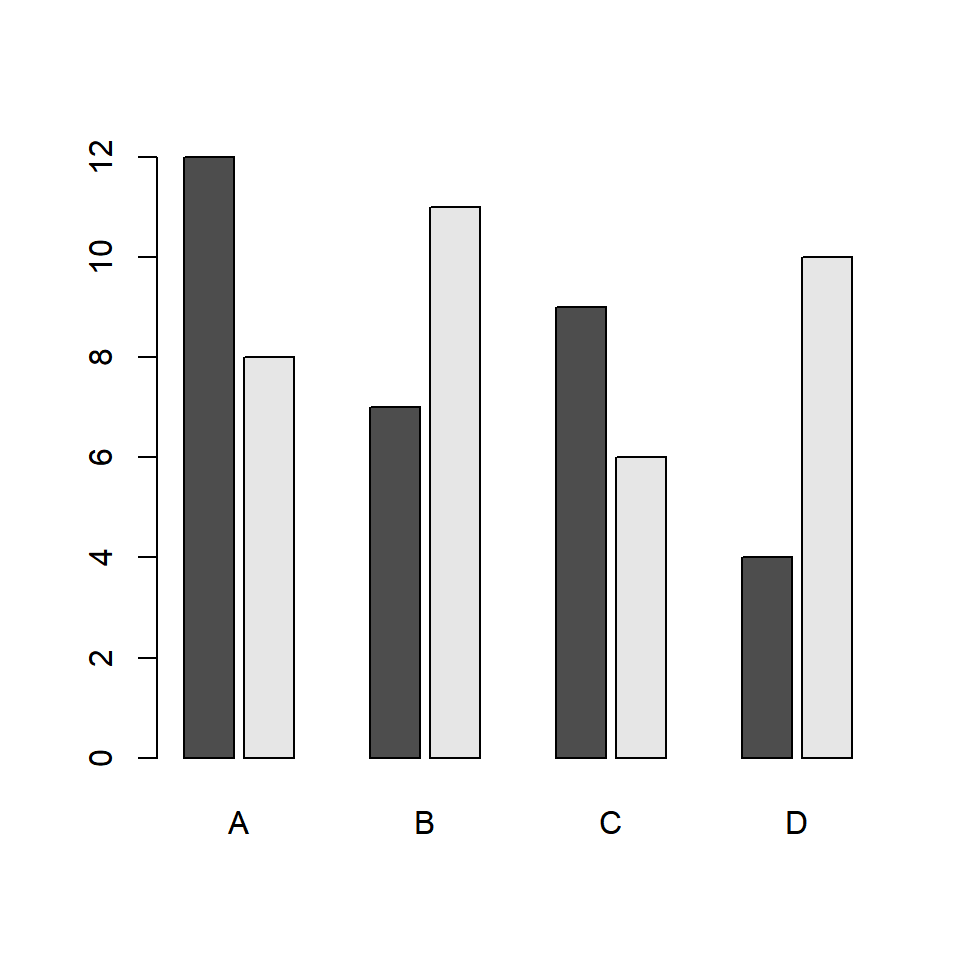
Horizontal grouped barplot
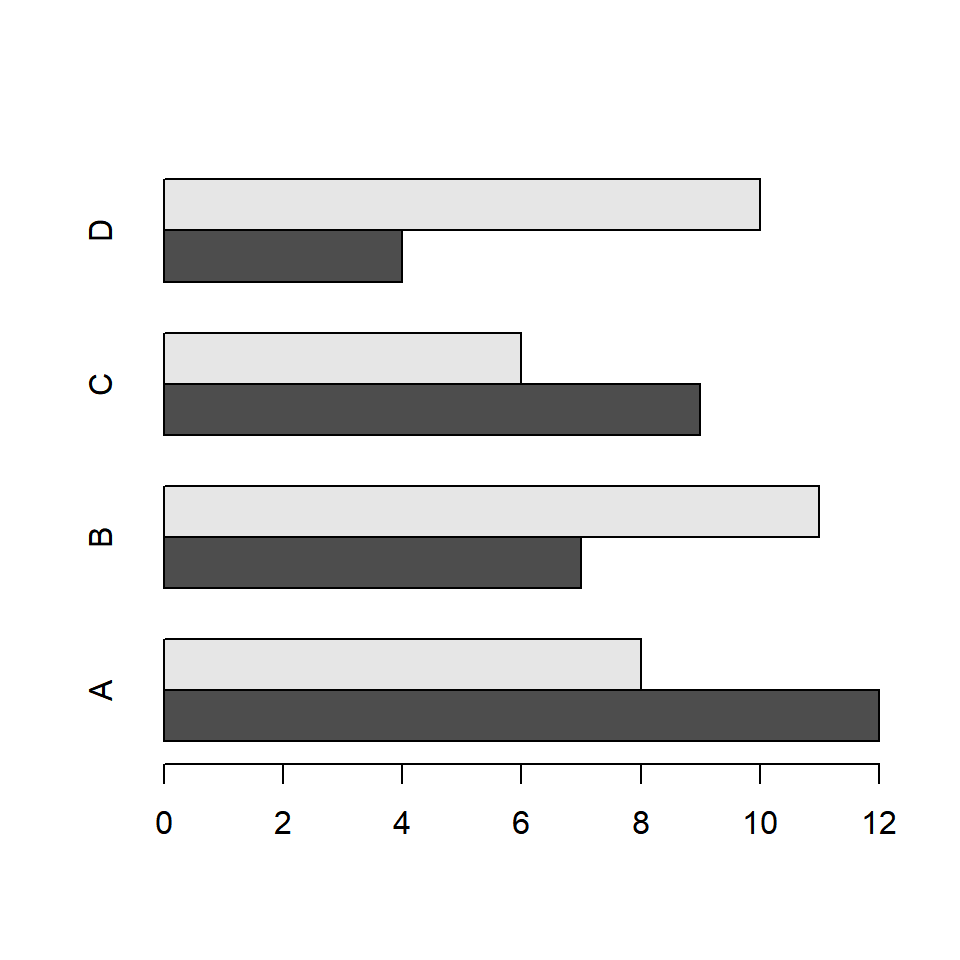
If you prefer a horizontal grouped bar chart rather than vertical set horiz = TRUE. Note that the first subgroup will be placed at the bottom of each group.
barplot(m, beside = TRUE,
        horiz = TRUE)
Fill color and borders
By default the bars are filled with shades of gray. The col argument allows you to set a color for each subgroup, so you will need to specify as many colors as rows your matrix has. Check the color palettes to choose your colors. In addition, you can change the color of the borders with border or remove them setting border = NA.
barplot(m, beside = TRUE,
        col = c("#2A9D8F", "#E76F51"),
        border = "white")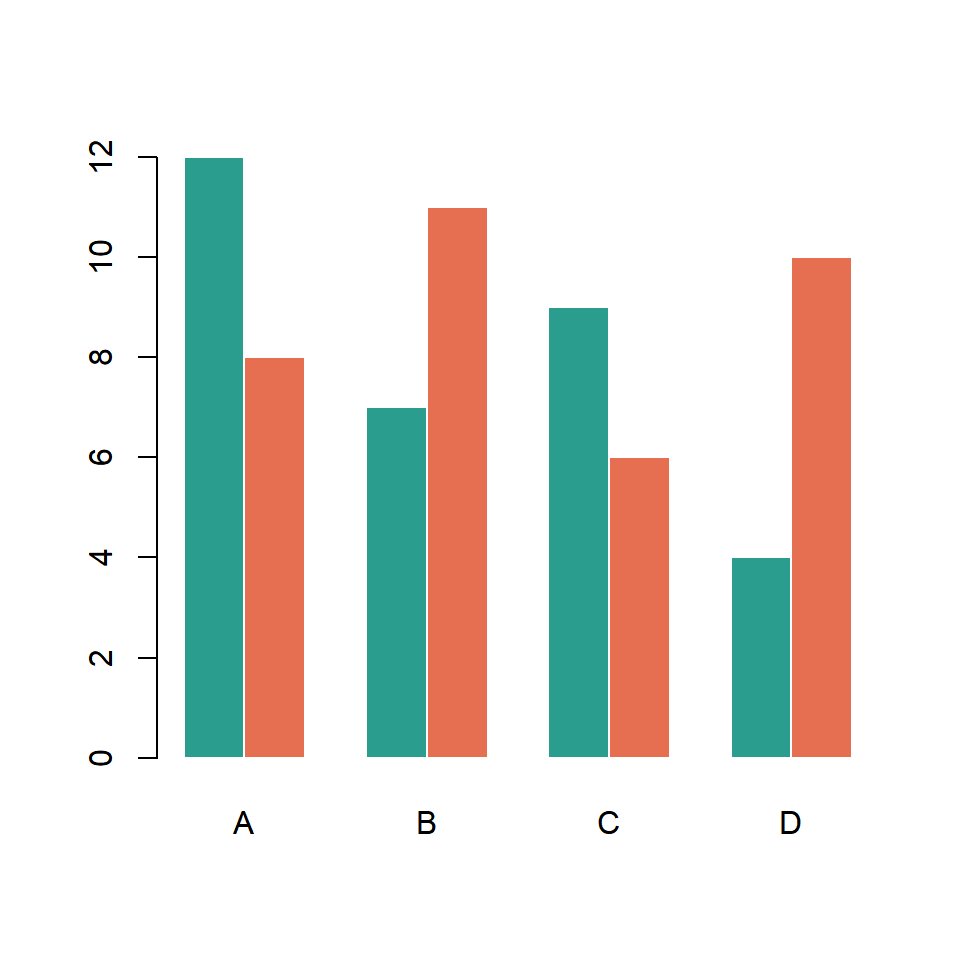
Adding a legend
The barplot function provides an argument named legend.text. If you set it to TRUE a legend will be added with the row names of the matrix, but you can also pass a vector with custom names. In addition, you can pass the arguments of the legend function to args.legend as a list to customize it.
barplot(m, beside = TRUE, ylim = c(0, 15),
        col = c("#2A9D8F", "#E76F51"),
        legend.text = TRUE,
        args.legend = list(x = "topleft", bty = "n"))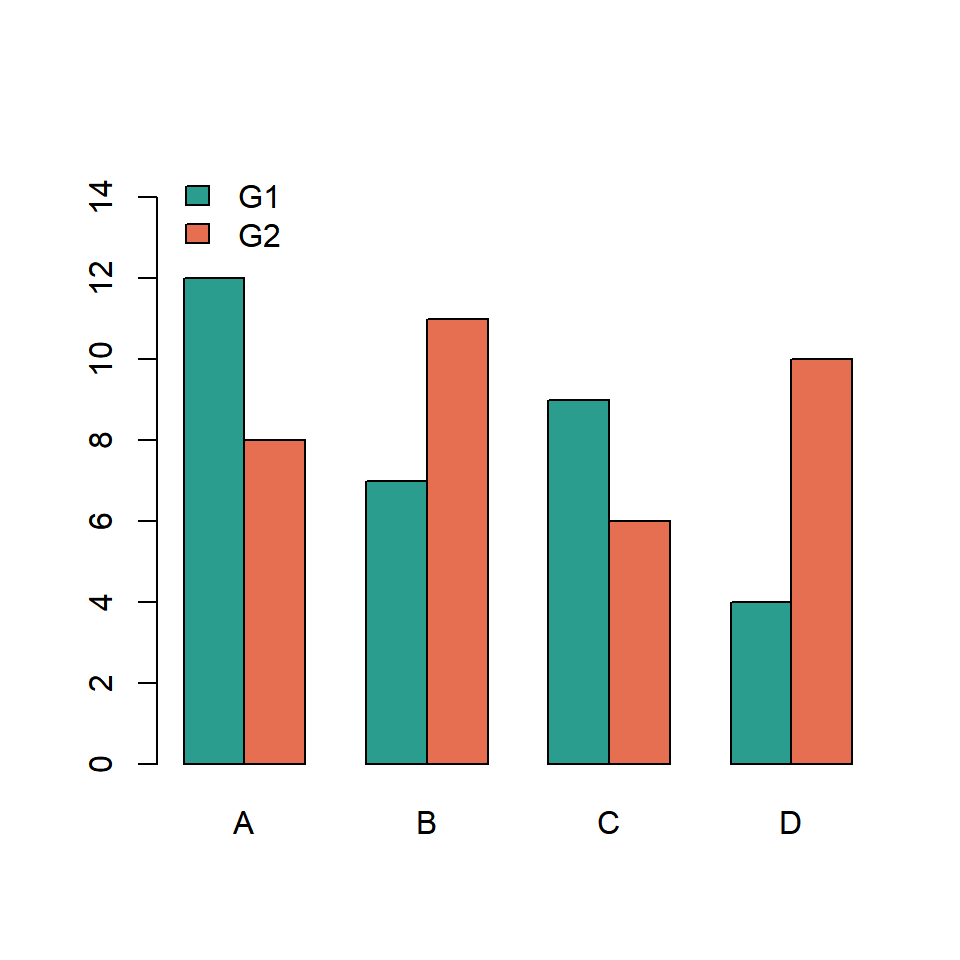
Legend outside the plot
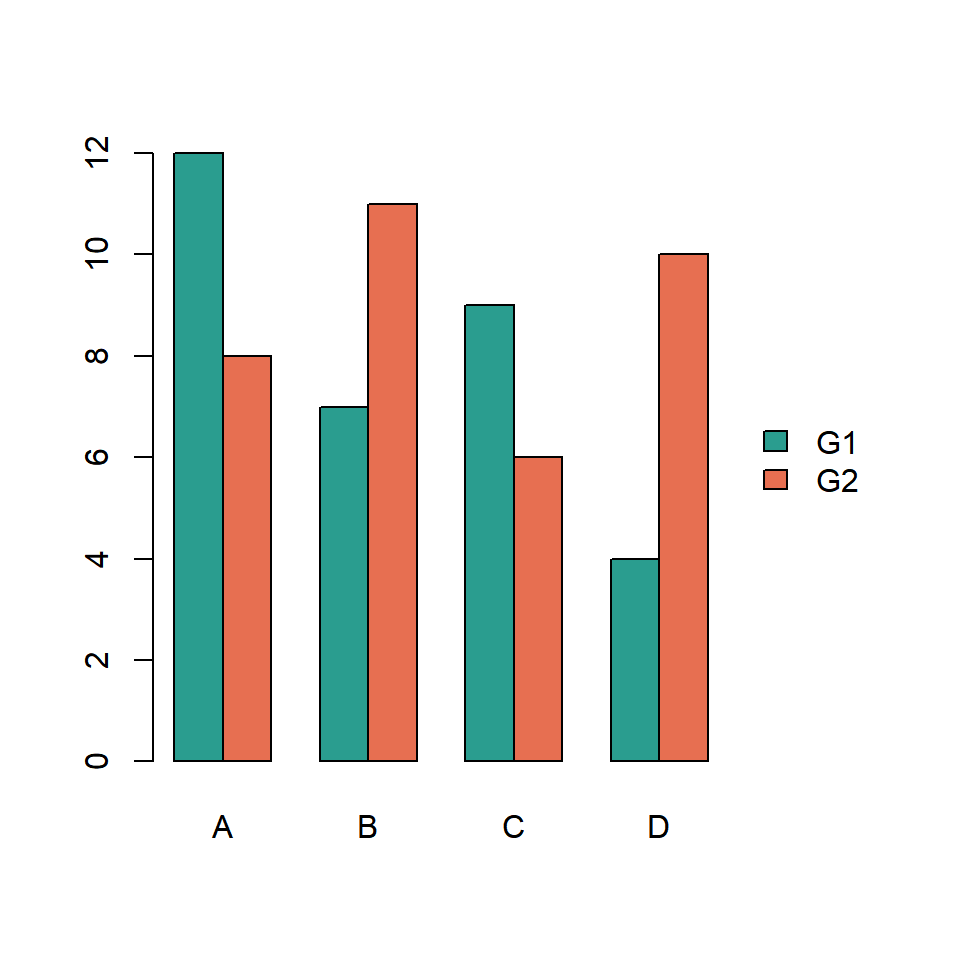
Note that depending on your data the legend can overlap the bars, so you might need to increase the limits of the Y-axis, as in the previous example. If you want to place the legend outside the chart increase the corresponding margin, set xpd = TRUE and fine tune the position of the legend with inset.
par(mar = c(5, 4, 4, 6))
barplot(m, beside = TRUE,
        col = c("#2A9D8F", "#E76F51"),
        legend.text = TRUE,
        args.legend = list(x = "right", inset = c(-0.25, 0),
                           xpd = TRUE, bty = "n"))
Adding labels to the bars
The barplot function returns the position of the center of each bar, so you can save the output to an object and use it to add texts over the bars with the text function. Note that you might need to increase the limits of the Y-axis with ylim so the labels fit inside the plot.
bp <- barplot(m, beside = TRUE,
              ylim = c(0, 14))

text(bp, m + 0.6, labels = m)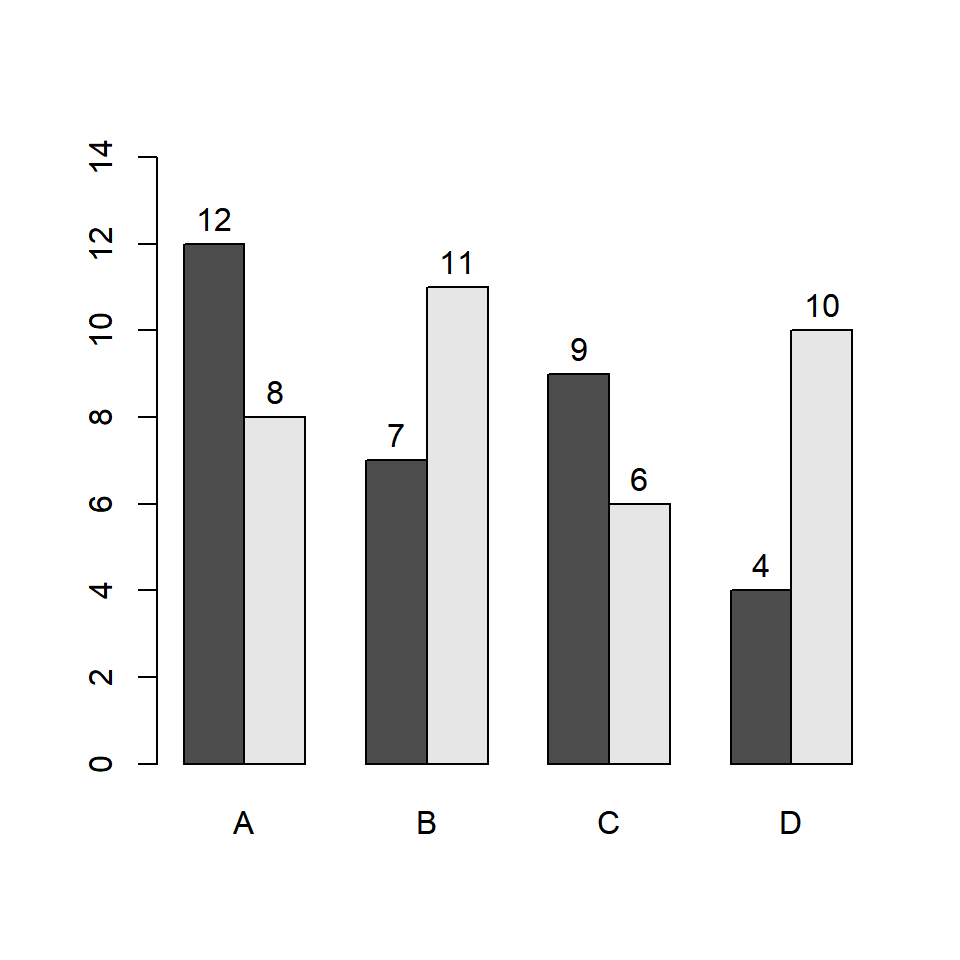
Grouped barplot with error bars
Base R doesn’t provide a function to add error bars, but you can draw them with the arrows function, setting angle = 90 and code = 3 so the arrow heads become the horizontal lines of the error bars. As with the labels, you will need the positions returned by barplot. In this example we are using a matrix named se with the standard error of each value.
se <- matrix(c(1.1, 0.9, 0.8, 1.3, 1, 0.7, 0.6, 1.2), nrow = 2)

bp <- barplot(m, beside = TRUE,
              ylim = c(0, 15))

arrows(x0 = bp, y0 = m - se, y1 = m + se,
       angle = 90, code = 3, length = 0.05)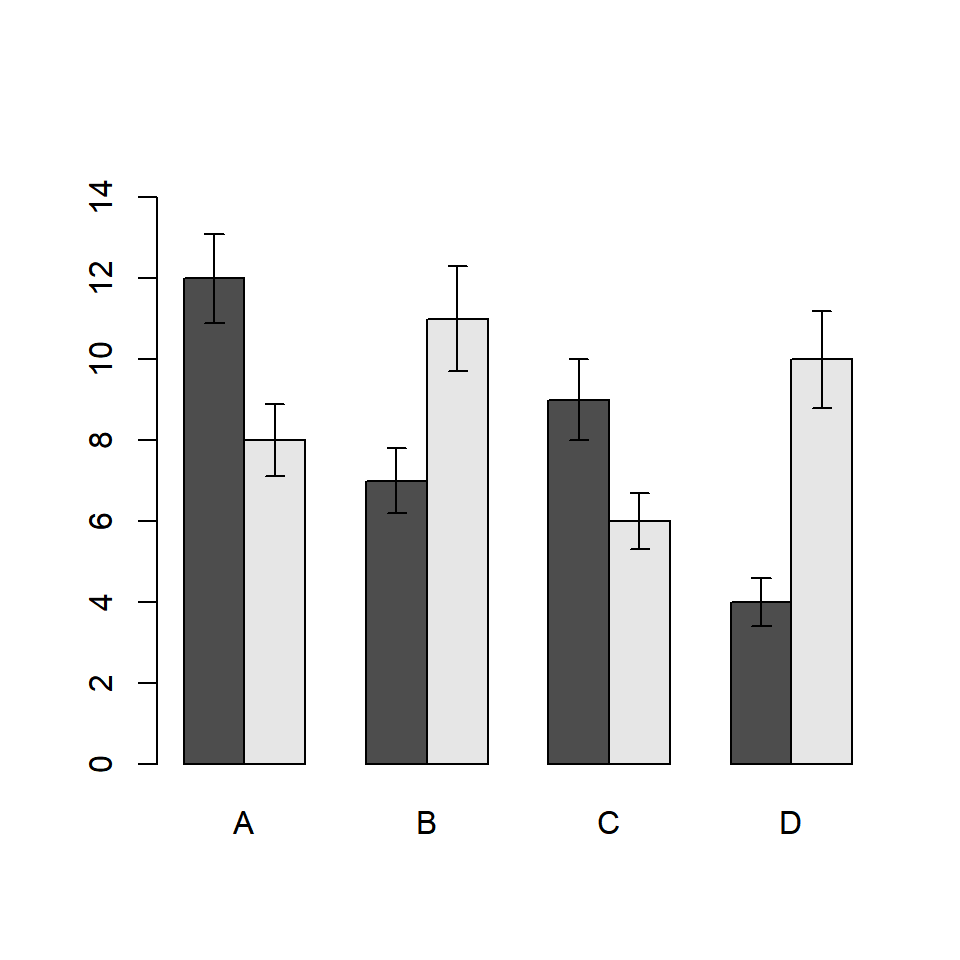
Order of the bars
The groups and the bars inside each group are displayed in the same order as the columns and the rows of the matrix, respectively. In order to change the order you just need to reorder the columns and the rows of the matrix before passing it to barplot.
m2 <- m[c("G2", "G1"), c("D", "C", "B", "A")]

barplot(m2, beside = TRUE, ylim = c(0, 15),
        legend.text = TRUE,
        args.legend = list(x = "top", horiz = TRUE, bty = "n"))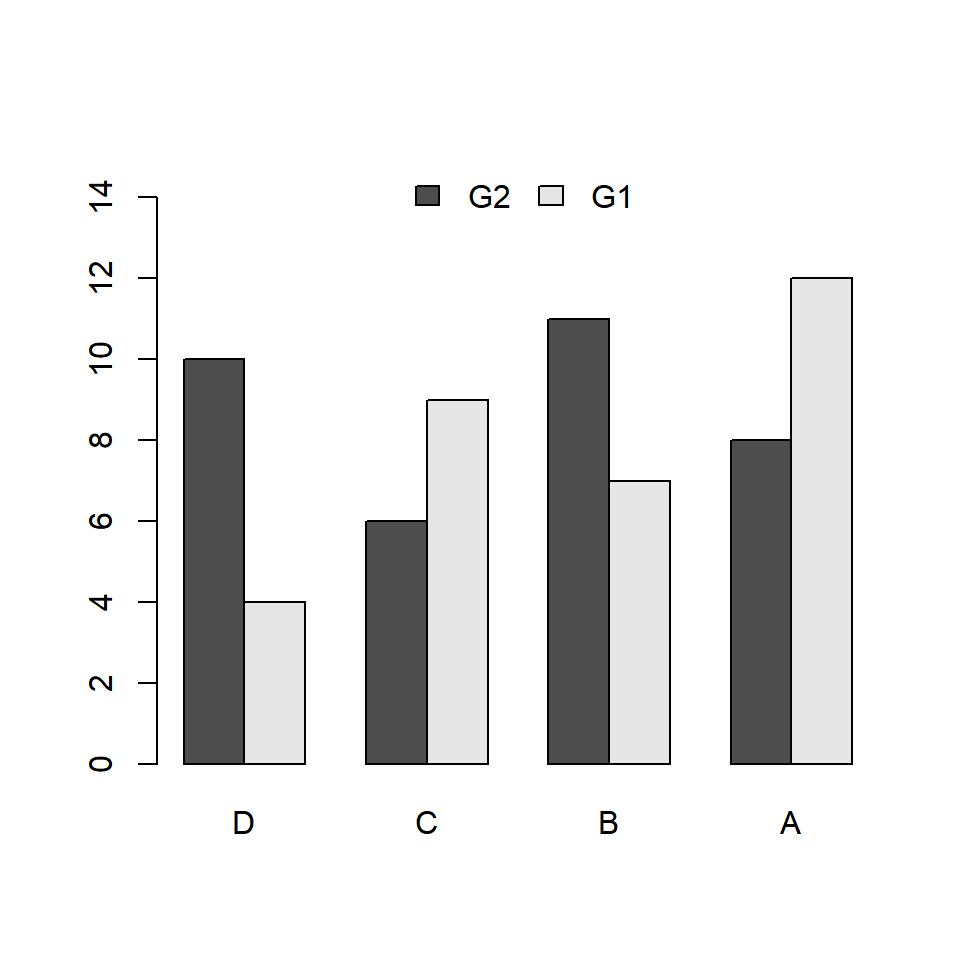
Grouped vs stacked barplot
A grouped barplot makes it easier to compare the values of the subgroups, as all the bars start from zero. If you are more interested in the total of each group and in the contribution of each subgroup you can create a stacked bar graph just setting beside = FALSE, which is the default value.
barplot(m,
        beside = FALSE,
        legend.text = TRUE)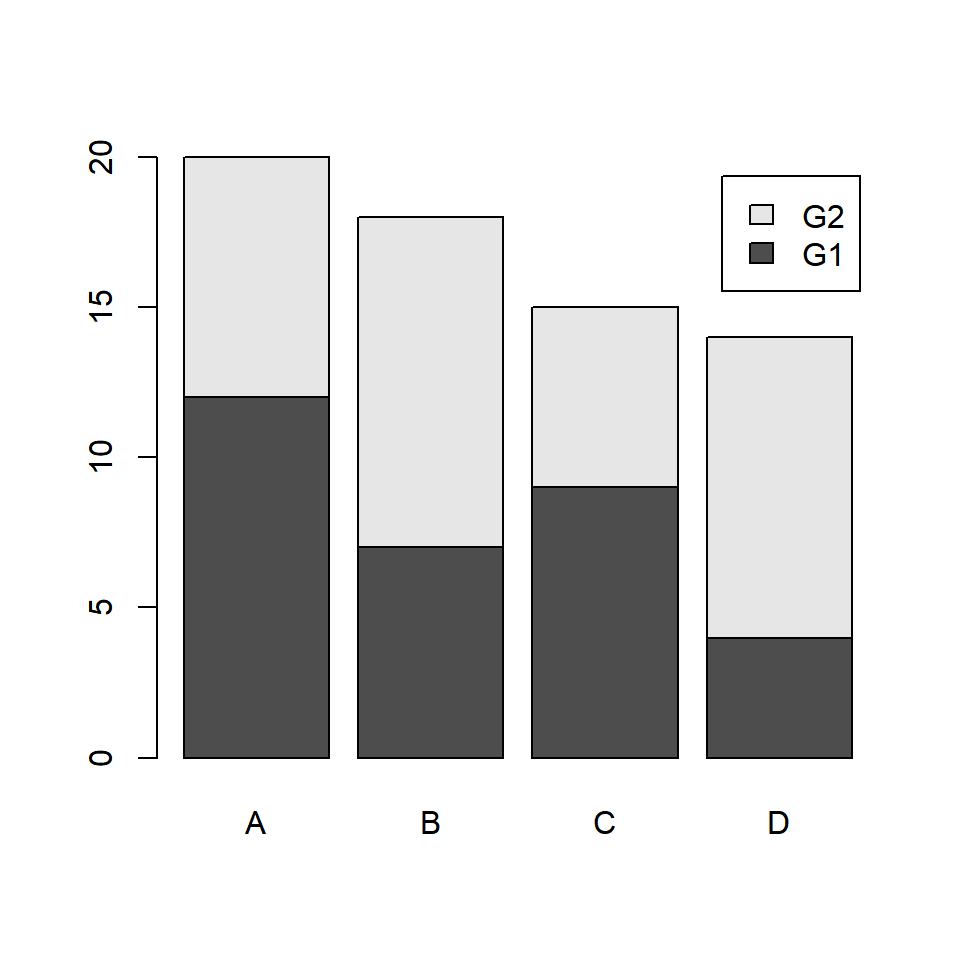
Master Statistics
Learn statistics from the basics to advanced techniques, clearly explained
Go to site